

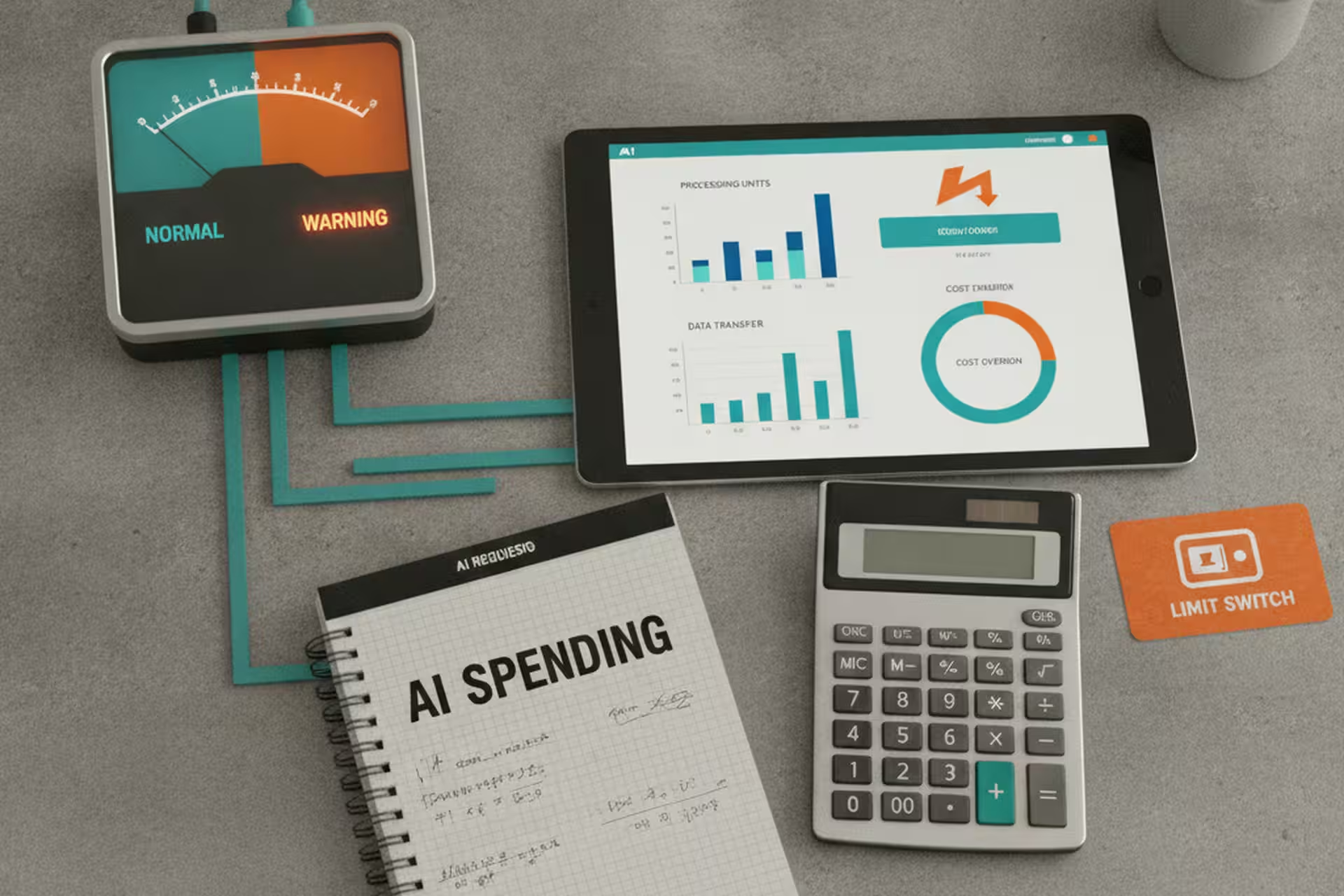
Early April, we noticed something in our usage logs: one background worker had been running a processing loop through the night, making AI calls far faster than it should have. By morning it had burned through a significant chunk of our weekly budget. The rest of the platform was fine, but we were suddenly rationing.
That’s the version of the AI cost problem that doesn’t show up in the demos. Not “AI is expensive to buy” – the tooling is pretty affordable now. The problem is that AI calls are metered like water or electricity, and without the right setup, a small business owner may not know the meter is running until the bill comes.
How AI pricing becomes a metered bill
Most people’s first experience with AI pricing is a subscription like ChatGPT Plus. That is the easy version to understand: you pay a flat monthly price for the ChatGPT web app, then use it inside the limits of that plan. At the time I’m writing this, OpenAI lists ChatGPT Plus at $20/month.
Business automation usually works differently. When software calls an AI model through an API, that API usage is separate from the ChatGPT subscription and is billed independently. The bill is usually based on tokens. A token is a small piece of text. The text you send into the model is input tokens; the answer the model writes back is output tokens. OpenAI publishes API prices per million tokens, with separate rates for input and output.
That difference matters. Typing into ChatGPT feels like using a subscription. Wiring AI into a background worker feels more like turning on a meter. If a job sends a long customer history, a pile of email threads, or a database export, the input tokens can be large before the model writes a single word back. If the response is a long report, the output side grows too.
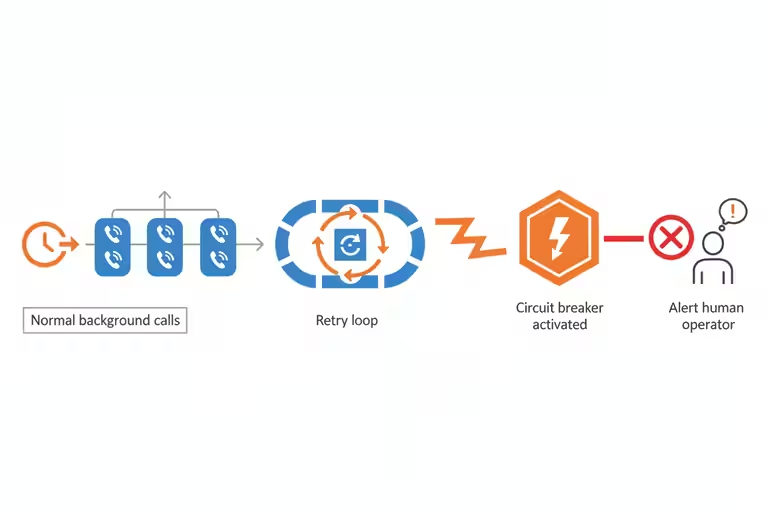
The problem is volume. If you have an agent that runs nightly and processes a hundred records, that’s a hundred calls. If that agent has a bug and processes the same records ten times each, that’s a thousand calls. If it runs into an error and retries in a tight loop, it can make ten thousand calls before anyone notices. At that point, the affordable AI starts looking different.
Put every AI call through one gateway
The single most useful thing we did was route all AI calls through one gateway – one piece of software that every request passes through before reaching the model. Think of it like a dispatcher at a trucking company. Nobody goes directly to the driver. Every job goes through the dispatcher, who logs it, assigns it, and tracks whether it got done.
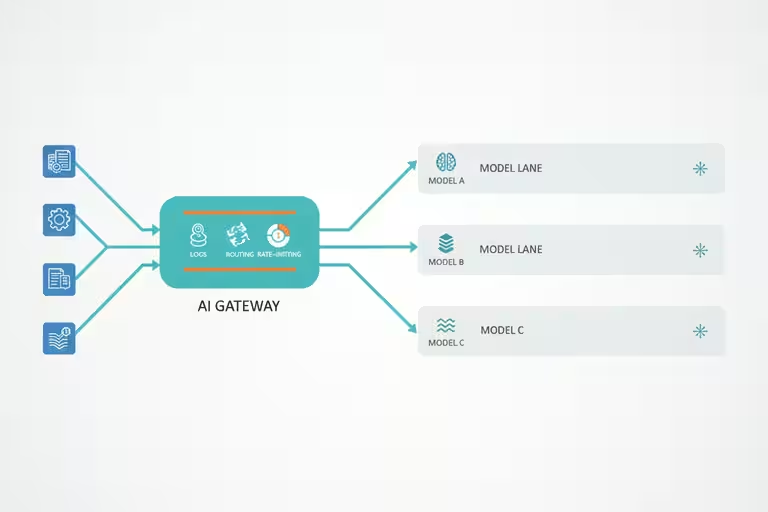
With a front door like this, you can see at a glance which parts of your system are making calls and how many. You can set rate limits. You can stop a runaway worker without taking down everything else. You can also apply different rules to different types of work. That’s where the next few dials come in.
Four AI cost controls that actually move the meter
Route simple tasks to cheaper models. Not every job needs the most capable AI available. If you’re classifying whether an incoming email is junk or a real lead, a smaller, faster model costs a fraction of the price and works almost as well. We push classification, labeling, and formatting work to lighter models, and save the heavier ones for things that actually need them: drafting a proposal, generating a response that represents the company, handling a complex phone inquiry.
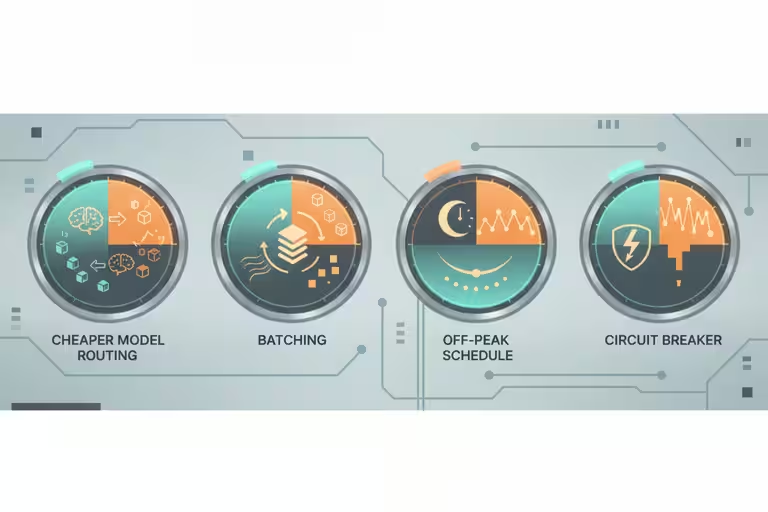
Batch multiple items per call. If you have twenty emails to screen, sending them one at a time means twenty calls. Sending them together in a single call with the right instructions means one. Not every task batches cleanly, but when it does, the savings are real.
Add circuit breakers. A circuit breaker is a rule that says: if this worker makes more than X calls in Y minutes, stop and alert me. It’s the equivalent of a breaker panel in an electrical system. When something goes wrong, it fails loudly and stops, rather than running quietly until the bill arrives.
The return-on-investment math, honestly
I talk a lot about the value of these tools because the value is real. A $20-a-month AI account can do things that feel ridiculous compared with what software used to cost. But that does not mean AI is automatically cheap once you wire it into a business process.
Here is the kind of math I mean. As of this edit, OpenAI lists GPT-5.5 API pricing at $5 per million input tokens and $30 per million output tokens for standard short-context calls. Suppose a useful daily review job uses 500,000 tokens each run: 360,000 input tokens and 140,000 output tokens. That is $1.80 on the input side and $4.20 on the output side, or $6 per run. Run it twice a day and it is about $12/day. Over a 30-day month, that is $360.
$360/month may be a great deal if the work is worth more than that. If the review saves several hours of office time, catches missed leads, or prevents a real operational problem, the cost is easy to justify. The question is not whether the AI bill is zero. The question is whether the job it is doing is worth more than the meter it runs.
Now flip the example. A similar 500,000-token job on a more expensive model, or one that produces much longer output, can cost a lot more. Using GPT-5.5 Pro rates from the same pricing page, a 500,000-token run split evenly between input and output would be $7.50 for input and $45.00 for output, or $52.50 per run. Run that once a day and you are at $1,575/month. If nobody reads the report, approves the suggestions, or turns the output into a decision, the value is zero. You didn’t buy automation; you bought an expensive pile of unread text.
The honest return-on-investment math is not “AI saves X per month.” It is “AI saves X per month if you run it cleanly and use the output.” A single misbehaving worker, or a perfectly functioning worker that nobody looks at, can flip a sensible budget into an ugly one faster than you would expect. Cost discipline is part of the return, not a separate accounting chore.
What AI budget controls won’t do on their own
Circuit breakers and rate limits don’t configure themselves. Getting value out of a usage dashboard requires someone who understands the system well enough to know which numbers should concern them. For a small shop, that might mean a monthly review of your AI vendor’s billing dashboard, looking for any line that jumped unexpectedly.
Worth naming too: if you’re using AI tools you didn’t build yourself (which is most small businesses), you may not have direct access to the usage data. Ask your vendors. A good AI tool for a small business should show you, at minimum, call volume per month and whether there are any anomalies. If they can’t tell you that, it’s worth asking why.
What I’d do before adding the next AI tool
Before you add any new AI feature to your business, estimate how many times it will run in a day. If it runs once per customer inquiry and you get ten a day, that’s ten calls. If it runs on every incoming email and you get a hundred emails a day, that’s a hundred calls. Write the number down. Then check whether your AI vendor’s pricing makes that sustainable at the volume you’re actually planning for – not just the volume you have today.
That five-minute exercise has saved us from a few decisions that would have looked a lot different at the month-end invoice.