
Aquatic Artists custom waterfall
Categories
Flow

One master price list, frozen customer quotes

A customer called to confirm a proposal we’d sent a few weeks earlier. Simple question: “Is that price still good?” I should have been able to answer in five seconds. Instead I spent two minutes cross-referencing three different places while she waited on the line: our CRM (the software we use to track customers and jobs), an older pricing spreadsheet, and whatever our AI assistant had on file from its last sync.

None of them matched exactly. That was the problem.

Why small-business pricing drifts across systems

When you run a small business or contracting company, pricing has a way of multiplying across systems. The original lives in a spreadsheet. Someone pastes a copy into the customer-tracking software. The AI assistant learned from a snapshot that’s now three months old. The website shows a range nobody has updated since last year. None of this is careless. It’s just what happens when you’re moving fast and there’s no rule about where the number officially lives.

The drift is slow and mostly invisible. Until a customer catches it.

Make one master price list the source of truth

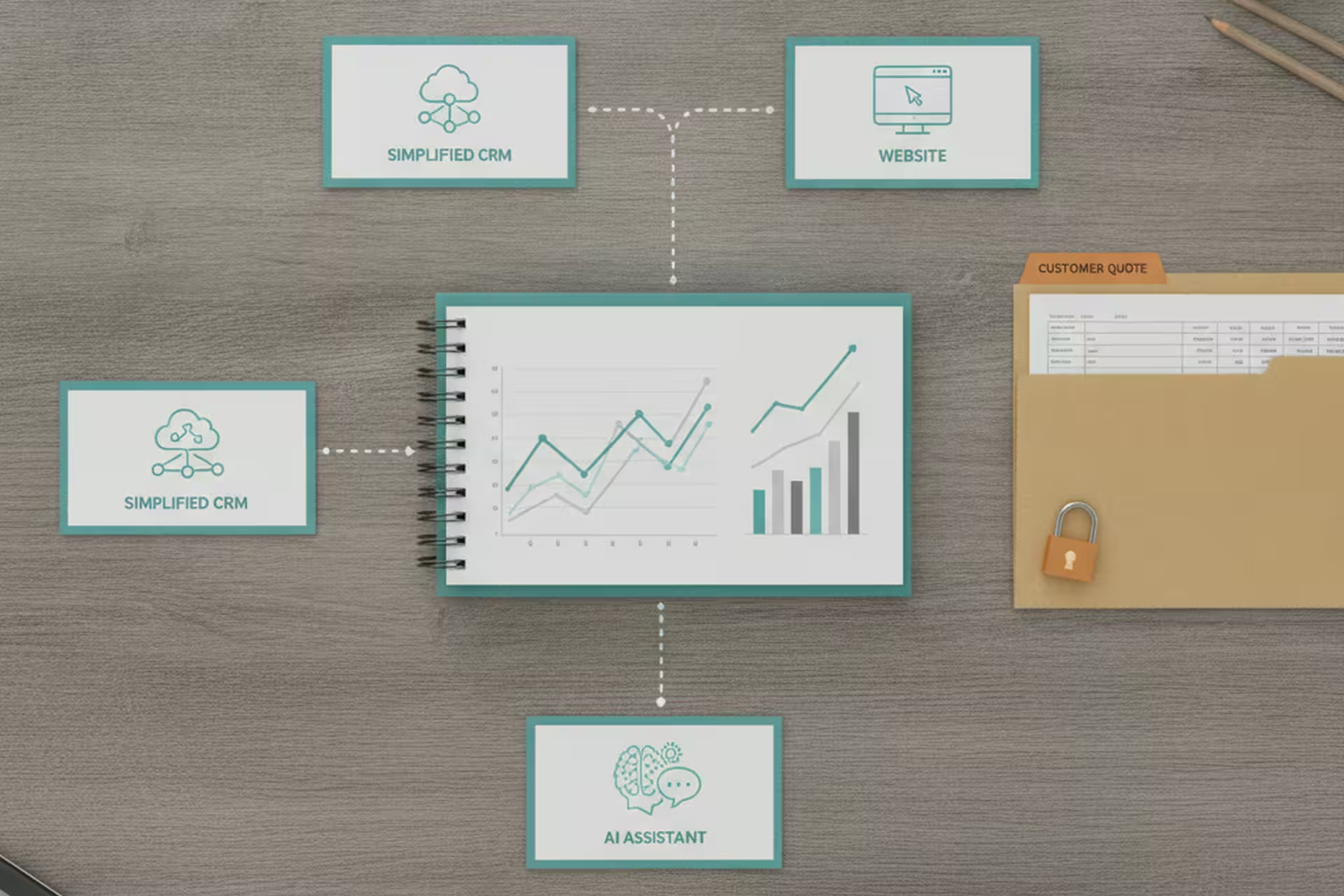
We settled on a rule: the master Excel workbook is the source of truth. Every price in every other system has to trace back to that one file. The AI assistant reads from it and doesn’t fill in numbers on its own. The CRM syncs from it. If there’s ever a conflict, the Excel wins.
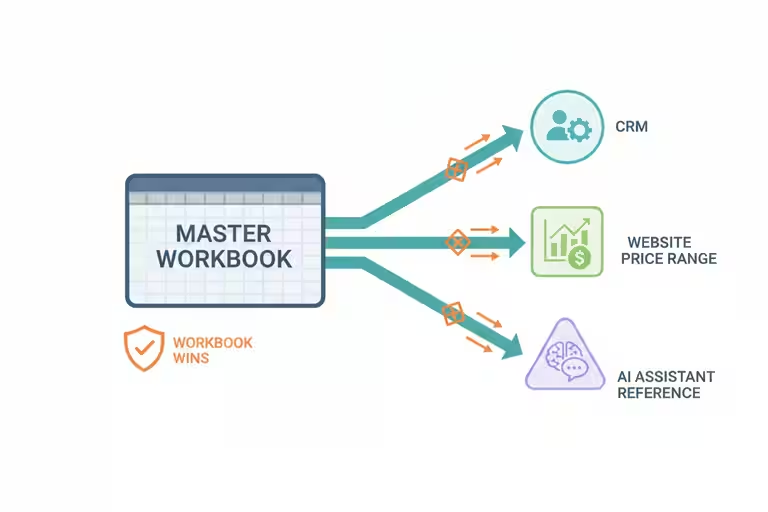
People in tech call this a “single source of truth.” The plain-English version: there is exactly one place where the right answer lives, and every person and every tool knows to check there first.

Getting there required cleanup. We went through the customer-tracking software and removed duplicate product rows that had crept in over time. We reconciled the project gallery pricing with what was in the workbook. It took a few days of careful work. After that, the AI’s answers stopped drifting.

Freeze customer quotes after they leave the shop

While we were doing this reconciliation, we found something that made us stop cold.
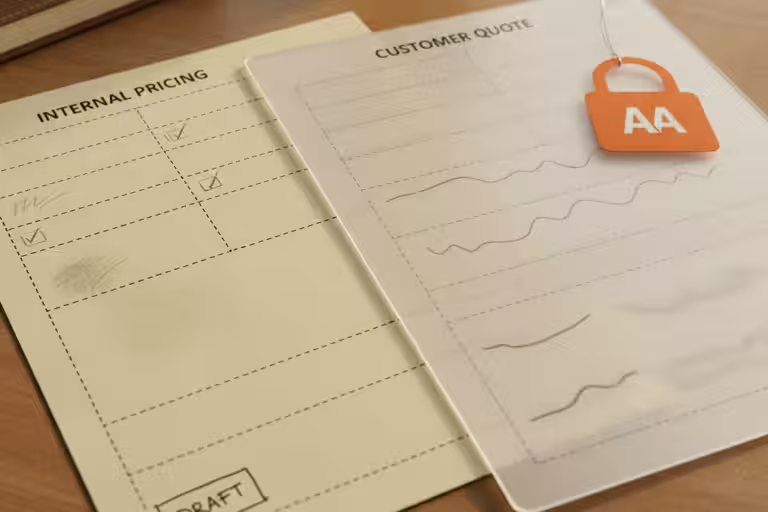
Saving a project record in the CRM was silently pulling in the current live price for each line item – even on records that already had a customer-facing quote attached. So a job we’d quoted to a customer at last month’s pricing could have its numbers quietly updated to today’s pricing the next time anyone opened and saved that record. No warning. No change log entry in plain sight. The numbers just changed.

We fixed the bug. But we also made a quote-management policy that doesn’t depend on the code being perfect: a line item that has been quoted to a customer is frozen. The AI cannot touch it. A human has to deliberately override it if circumstances genuinely require a change, and that action gets logged.

The principle generalizes to any business that sends proposals. Once you’ve told a customer a price, that price is a commitment. Your systems need to treat it that way, not leave it open for automated updates to drift through.

Website speed matters while customers compare quotes

While we were cleaning up the data layer, we also pushed both of our websites past 90 on Google’s PageSpeed test. It sounds like a technical metric, but the practical effect is real: slow pages lose visitors before they’ve read a word. Some fixes were straightforward – image compression, removing a few scripts that were loading before the page content. Others took a little more digging. Worth it.

Speed is one of those things that doesn’t feel urgent until you realize a potential customer bounced in the two seconds your homepage was loading.

AI pricing tools need pinned source data

I use more than one AI model because each platform has strengths and weaknesses. One might be better at coding, one might be better at writing, and one might reason through a messy problem better on a given day. That is useful, but it also means the instruction has to be clear and the data has to be pinned down.

If the tool is reading from the master spreadsheet correctly, a model change should not cause price drift. If the instruction is vague and the source is stale, you are asking the AI to improvise with customer money. That is not a place I want improvisation.

Automation still needs a maintained price list

The AI syncing to the master spreadsheet only works if someone maintains the master spreadsheet. If prices change and nobody updates the workbook, the AI will confidently quote the old number right up until a customer points out the problem.

Automation doesn’t remove the responsibility to keep your data current. It just makes the consequences of not doing so more consistent – and therefore more visible when something goes wrong.

A simple pricing audit to run first

Pick the single most-quoted price in your business. Find every place that number lives. Write down which one is official. If you can point everyone – and every tool – at that one place, you’ve closed a gap that causes more small-business headaches than most people realize.
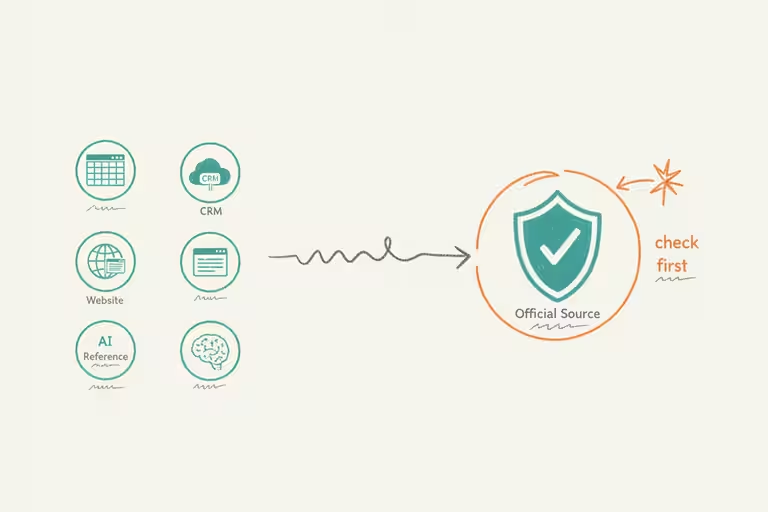
If you’ve already done that, check when it was last updated. The master list is only as good as the last time someone touched it.

Categories
Flow

Cleaning up AI-generated code after the robot ships

I’m going to tell you something that doesn’t make it into most AI hype pieces: after a big AI-assisted development sprint, you open the codebase and it looks like a job trailer after a long install week. Things everywhere. Half-finished ideas. The same logic written three different ways in three different files. Perfectly functional, mostly, but you would not want to hand it to anyone else and call it done.

This is not a knock on AI tools. The speed is real. In a week of heavy AI-assisted coding we’ll ship more working features than we’d have managed in three weeks doing it by hand. But “working” and “clean” are not the same thing, and in software, same as in a waterfall build, the difference shows up later. You either deal with it now, or you deal with it at a worse time, under more pressure, when you can least afford it.

This past week we did a full cleanup pass on a big chunk of our small business automation platform. Here’s what that looks like and why it matters.

What AI-generated code clutter actually is

When you ask an AI coding assistant to build something, it solves the problem you gave it. It doesn’t automatically know about the solution you built six weeks ago that does half the same thing. It doesn’t keep a running sense of what the overall system should look like. It focuses, it ships, and it moves on.

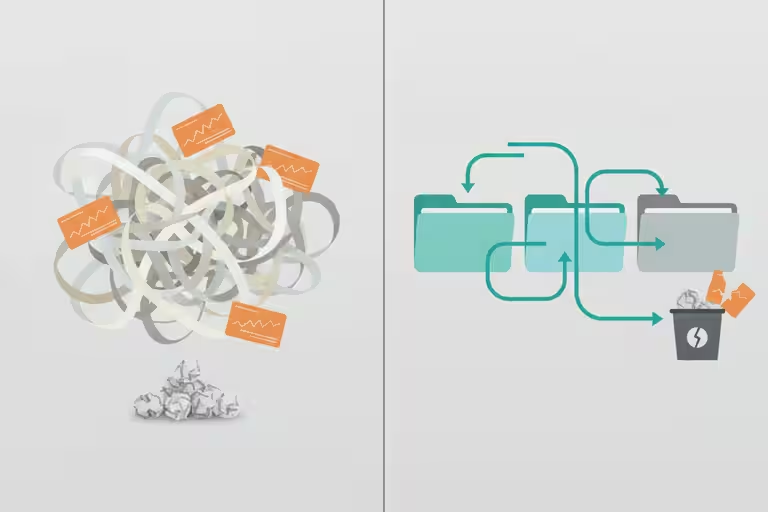
The result is that over time you get modules that ballooned to five times a healthy size, logic that’s been duplicated in three places when one would do, and functions that were written once for a specific situation and then never touched again even when the situation changed. None of it is broken. All of it is weight.

Our cleanup pass this week split several oversized files into smaller, focused pieces. We found three separate places doing the same data lookup and consolidated them into one. We deleted roughly a thousand lines that were doing nothing useful. The working behavior didn’t change. The system got easier to reason about, like organizing a parts room after a busy season so the new hire can actually find things.

A clean codebase is also much easier for an AI assistant to understand and improve. When the structure is obvious, the AI spends fewer tokens figuring out where things live and less time guessing which duplicate helper is the real one. That means less wasted context, fewer wrong turns, and better outcomes when I ask it to make the next change.

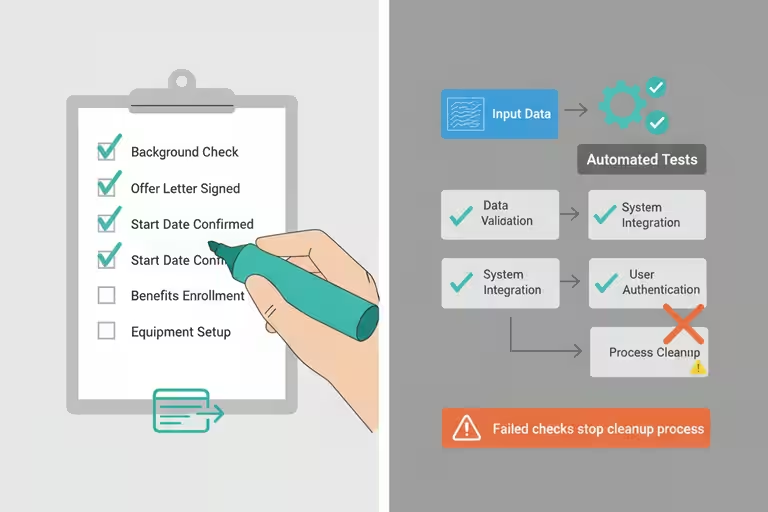
Automated tests are the acceptance checklist for AI automation

Here’s the part I want to emphasize, because it’s the thing that makes the cleanup meaningful rather than cosmetic.

When you tidy a parts room, you know it worked because you can see the parts on the shelf. When you reorganize software, “it looks better” isn’t enough. You need to know it still works exactly as it did before. That’s what automated tests are for.

A test is a small program that checks one specific thing. “When this input comes in, this output should come out.” We write tests before we clean up code, run them after, and if they all pass, we know the cleanup didn’t break anything. If one fails, we know exactly what broke and where.

For a business owner, the practical point is this: if you’re going to trust AI automation with anything important, like customer communications, scheduling, or estimates, you need a way to verify that the automation is still doing what you think it’s doing. Tests are that verification. Without them, you find out something broke when a customer tells you. With them, you find out before anyone sends an email.

We added a meaningful number of tests this week to code that had been running in production without them. It’s the kind of work that doesn’t feel urgent until it suddenly is.

A small business automation example: email that files itself

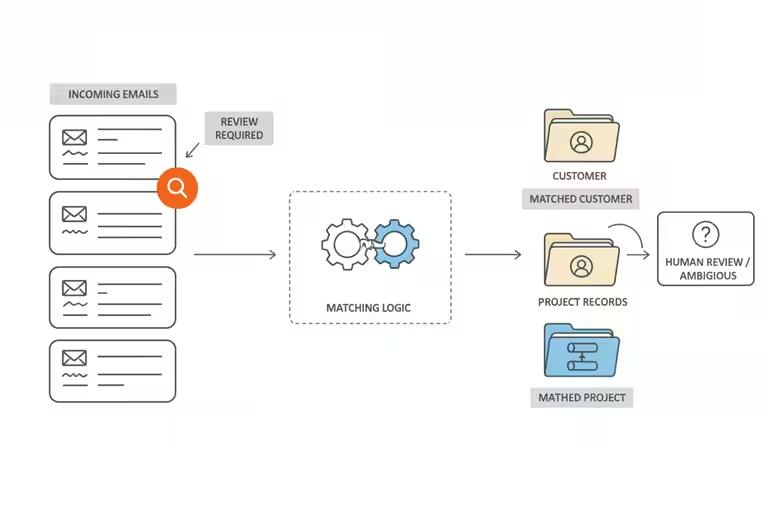
While we were doing the cleanup sprint, we also shipped something that has nothing to do with code tidiness but is a good example of AI automation for a small business that earns its keep quietly: automatic email-to-record linking.

Before this, an email from a customer about a job would land in the inbox and someone had to drag it to the right folder, paste the key parts into the CRM, or just try to remember what was said. Ten ongoing projects means ten chances to miss something.

Now the system reads incoming email, figures out which customer and which job it’s about, and attaches it to the right record automatically. Open a project in the CRM and the relevant thread is already there. No filing, no copy-pasting.

It doesn’t do anything a diligent office manager couldn’t do manually. But it does it on every email, every time, without forgetting. That consistency is the whole point.

Good AI workflows beat chasing every new release

It is almost scary how fast the AI coding tools are improving. I have used tools that feel close to zero-code for certain jobs, and that would have sounded like science fiction not very long ago.

But the teams getting real value from AI tools are not the ones jumping to whatever launched last Tuesday. They’re the ones who picked a set of tools, got good at using them, and built the cleanup habit around them.

The cleanup work we did this week, testing, consolidating, removing AI-generated clutter, applies regardless of what model is running. Habits matter more than the latest release. A tidy, well-tested automation on a good-enough model will outperform a messy, untested one on the newest model.

AI code cleanup still takes a human eye

Cleanup takes real time. I spent the better part of a week on it, and that’s a week I wasn’t shipping new features. That’s the right call, but it’s a call that requires discipline. The pressure to keep adding things is constant. The pressure to tidy what’s already there is quieter and easier to defer.

The automated tests caught a few things during cleanup, but they can’t catch everything. A test only checks what you thought to write a test for. Tests reduce the risk. They don’t eliminate it.

The email auto-linking isn’t right 100% of the time either. Occasionally an email attaches to the wrong record, usually when a customer mentions multiple projects in one message. We do a periodic review to catch mis-files. The automation handles the routine; a human handles the edge cases.

The rule I’ve settled on: after any AI-assisted sprint, schedule a cleanup pass before moving to the next thing. Even an afternoon spent deleting what you don’t need, consolidating what’s duplicated, and writing one test for the thing that would hurt most to have break silently pays back more than it costs.

The robot builds fast. Cleaning up after it is still your job.