

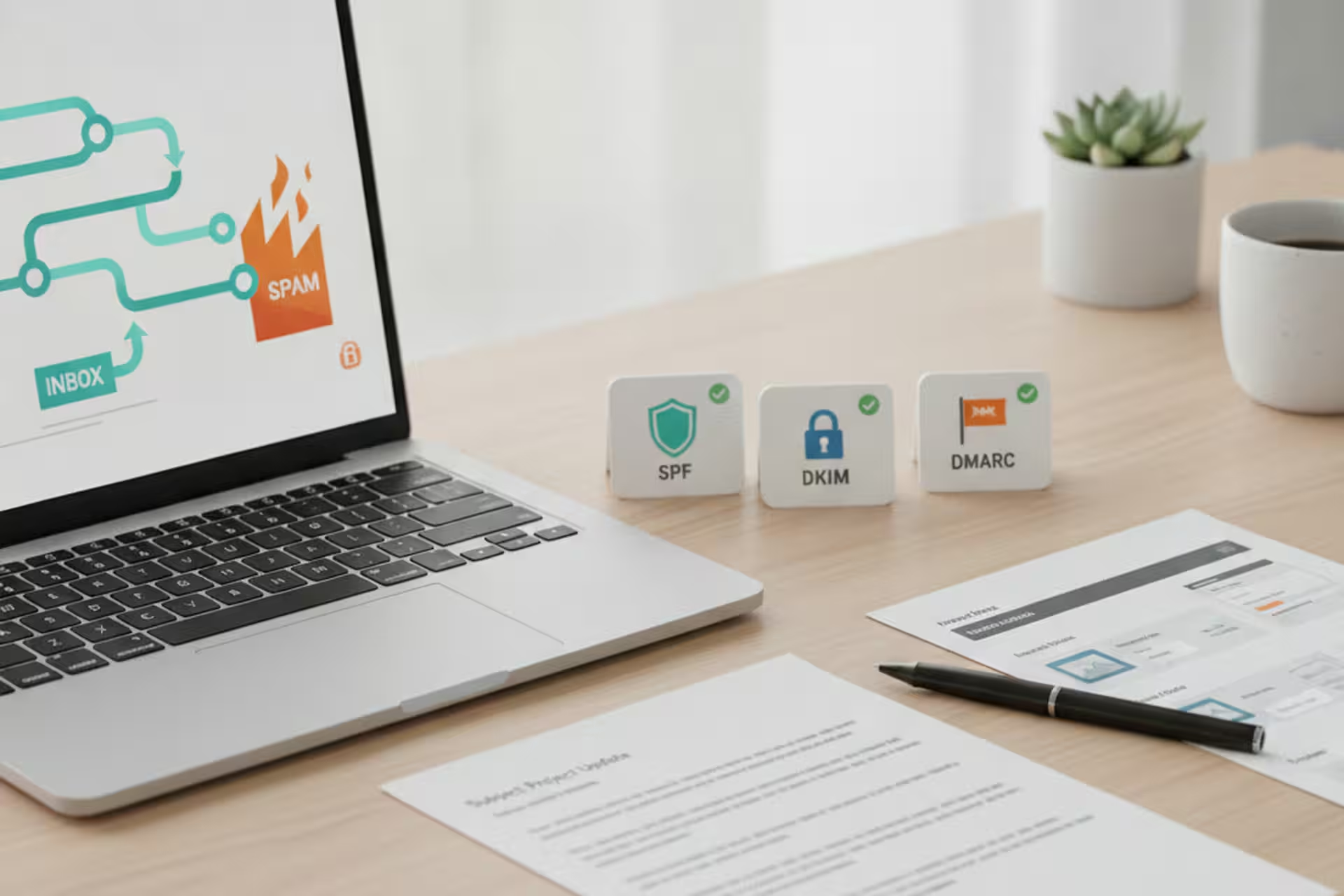
We spent a Friday afternoon building out a small business email campaign for Aquatic Artists – wrote decent copy, put together a clean template, hit send to a list of a few hundred contacts we’d accumulated over years of doing business. Then we waited.
Almost nothing came back. No opens worth counting, no replies. A few days later, I started getting the occasional “never got your email” from people I knew well. The emails hadn’t bounced. They’d gone straight to spam.
That’s a deflating experience. And it’s not rare. If your contractor emails, service reminders, or marketing emails keep going to spam, here is what I learned about why it happens and the fixes we put in place.
Email authentication: the part most small businesses skip
Most small businesses set up an email address, maybe connect it to a domain they bought, and assume it’s ready to go. The problem is that spam filters run a series of background checks on every message before it reaches an inbox. Three of those checks matter most:
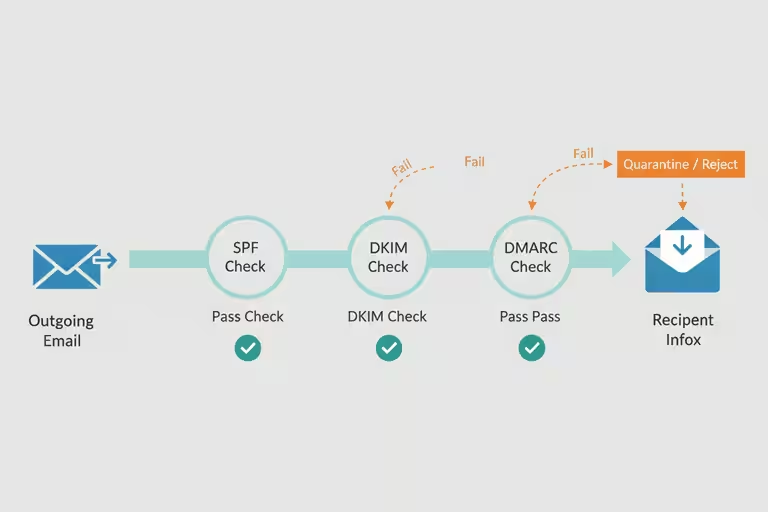
SPF is a record you publish for your domain that says “these are the servers allowed to send email on my behalf.” If your email goes out through a service that isn’t on that list, spam filters treat it as suspicious. Think of it like a contractor showing up to a job site without being on the authorized crew list.
DKIM is a cryptographic signature attached to your message – a way of proving it wasn’t tampered with in transit. Most email platforms add this automatically, but only if you’ve set it up correctly in your domain’s settings.
DMARC tells receivers what to do if SPF or DKIM fail: quarantine the message, reject it, or just report it. Without DMARC, even a properly signed email can end up treated inconsistently.
None of this is exciting. Setting up SPF, DKIM, and DMARC is mostly a couple of hours in your DNS settings and your email platform’s configuration panel. But it’s the foundation that everything else depends on.
Plain-text email helps deliverability
Here’s one that surprised me. If you send a marketing email that’s only HTML – a nice-looking newsletter with images and formatting, but no plain-text version alongside it – spam filters often mark it down. Real communication between people almost always has a plain-text component. A message that’s pure HTML looks like it came from a bulk-sending machine, not a person.
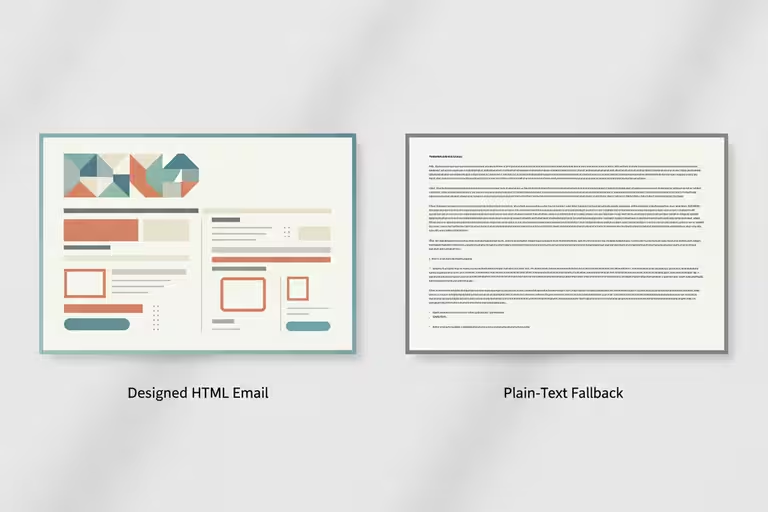
When we built our email template editor, we made it generate both versions automatically. Every campaign goes out with a proper HTML design and a plain-text fallback. It takes zero extra effort and removes one more reason a filter might catch your message.
Domain warming for business email
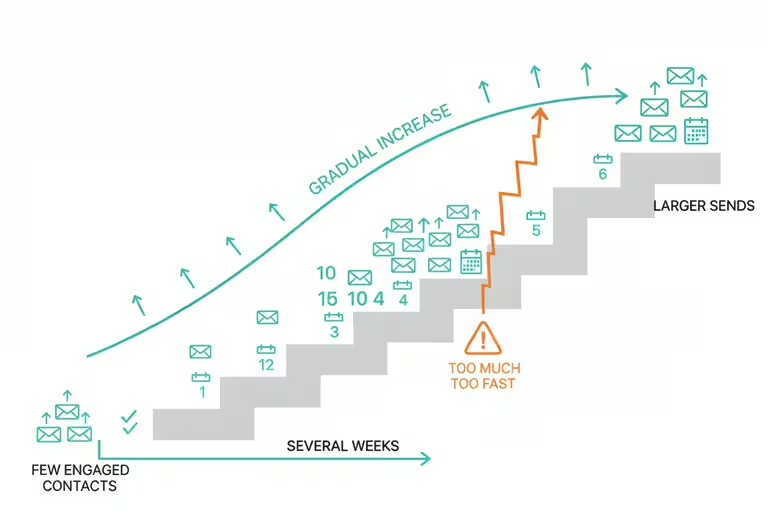
If you’ve never sent marketing email from a domain before – or haven’t sent much – spam filters are going to be cautious about you. You don’t have a reputation yet. The fix is to build one slowly: start by sending small batches to your most engaged contacts (people who actually open and click), then increase volume over several weeks. This is called domain warming, and it’s genuinely boring. There’s no shortcut.
Double opt-in helps here too. When someone signs up to hear from you and then confirms that signup with a second click, you know they actually want your emails. That keeps your complaint rate low, which keeps your sender reputation healthy.
Where AI helps with email marketing
Once the plumbing was working, we added two things that make the system smarter.
First, the template editor I mentioned is drag-and-drop, roughly what you’d expect from a Mailchimp-style tool, with AI suggestions for subject lines and send times based on which days and hours your audience tends to engage. Not magic, but genuinely useful when you’re doing this as one of fifteen things on your plate.
Second, we built an inbox scanner. It’s an AI tool that reads the incoming mailbox and surfaces the actual leads and action items buried in there. Not “here’s every email you got,” but “here are the three threads that look like someone wants to talk business.” For our business, that matters more than fancy automation. That is the kind of AI I like: boring, specific, and tied to a real job that used to eat time.
What email authentication alone won’t fix
Authentication fixes are necessary but not sufficient. If your content looks spammy – all-caps subject lines, aggressive promotional language, sending to people who never asked to hear from you – you’ll still land in filters regardless of your DKIM record. And domain warming takes weeks. There’s no fast version.
The other rule we follow is simple: do not use AI as an excuse to send vague, pushy, or unwanted messages. If the email would annoy you as a customer, making the computer send it faster does not improve it. It just scales the mistake.
What I’d check first
If you’re not sure whether your domain is authenticated, use a domain checker instead of guessing. Start with Google Admin Toolbox Check MX for MX/SPF checks and DKIM selector checks, MXToolbox SuperTool for MX, blacklist, SMTP, SPF, DKIM, DMARC, MTA-STS, and TLS-RPT lookups, dmarcian Domain Checker for SPF, DKIM, and DMARC inspection, or EasyDMARC Domain Scanner for a domain health scan across SPF, DKIM, DMARC, and BIMI. Run more than one if the result matters, because each tool explains failures a little differently. You’ll see quickly whether SPF, DKIM, and DMARC are configured. That’s the starting point. Fix what’s missing, then think about content and warming. The deliverability problems tend to sort out in that order.
If you’re curious how we handle email marketing for our business, reach out. Happy to share what worked.